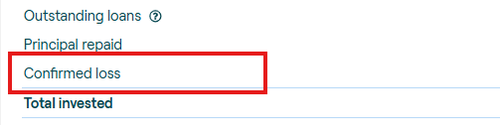
Where can I find an overview of confirmed losses?
A confirmed loss is an amount that is considered permanently lost for tax purposes on a loan. This is determined only once the case has been sufficiently resolved, for example after completed debt collection or other processing.
You can find the total confirmed loss on the “Overview” page under the “Summary” section.
How can I see confirmed losses per loan?
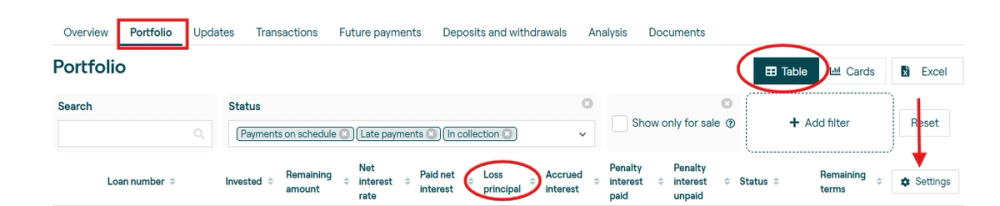
To view confirmed losses broken down by loan, follow these steps:
- Go to “Portfolio”
- Select Table view
- Click Settings
- Enable the column Loss principal
- Sort by the Loss principal column
You will then see an overview of confirmed losses per loan.
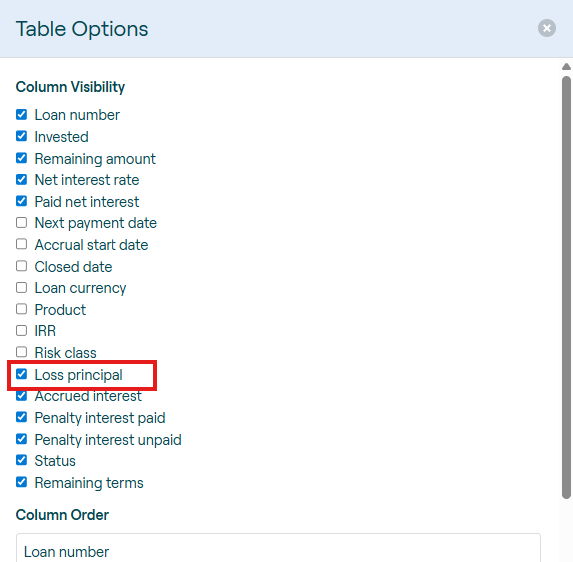
Please note that the total amount of confirmed losses is currently not displayed in the table view. The table only shows amounts per individual loan.